
Eliminate manual data entry and reduce human errors with flexible Excel-based templates for smooth data migration.
Your Data Perfectly Structured.
Maxx Excel Importer bridges spreadsheets and ERP databases ensuring every record is mapped accurately.
Who
Businesses migrating from legacy systems accounting teams managing large datasets and inventory managers handling bulk uploads.
How
Prepare standardized Excel templates then map spreadsheet columns with ERP fields using the mapping tool.
When
Ideal during ERP implementation bulk master uploads or periodic inventory updates.
Feature Highlights
Bulk Data Import
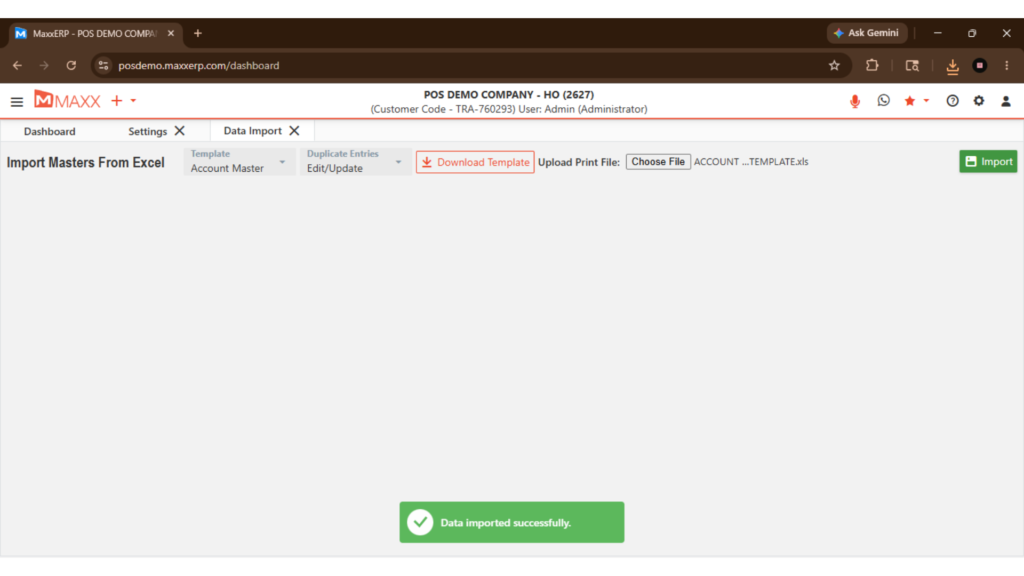
Move thousands of records — including masters, opening balances, and stocks — directly into your ERP in just a few clicks without any manual typing.
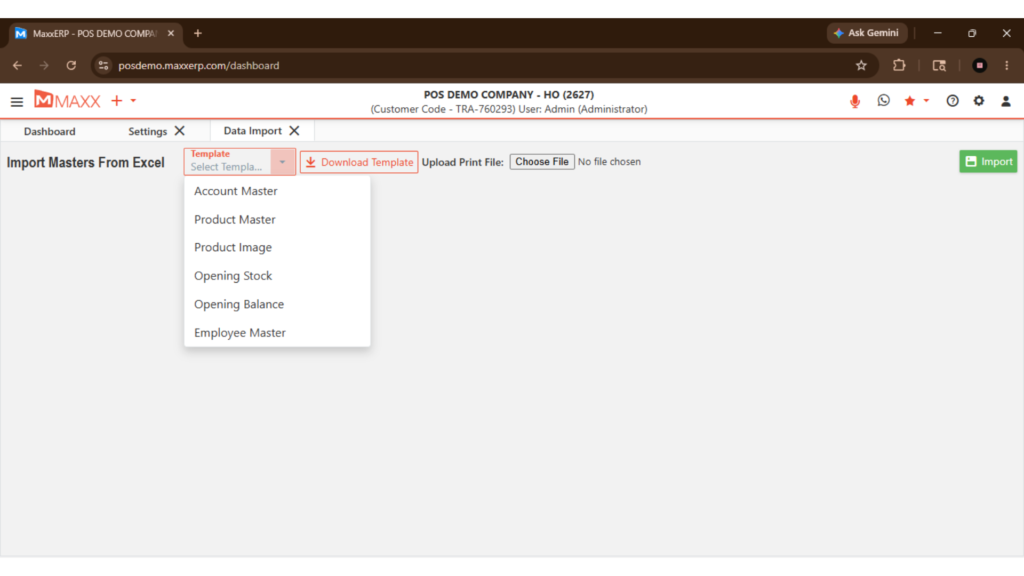
Standardized Import Templates
Use pre-built, ready-to-fill Excel templates with a fixed structure — simply enter your data in the defined format and import directly into your ERP without any formatting errors or field mismatches.
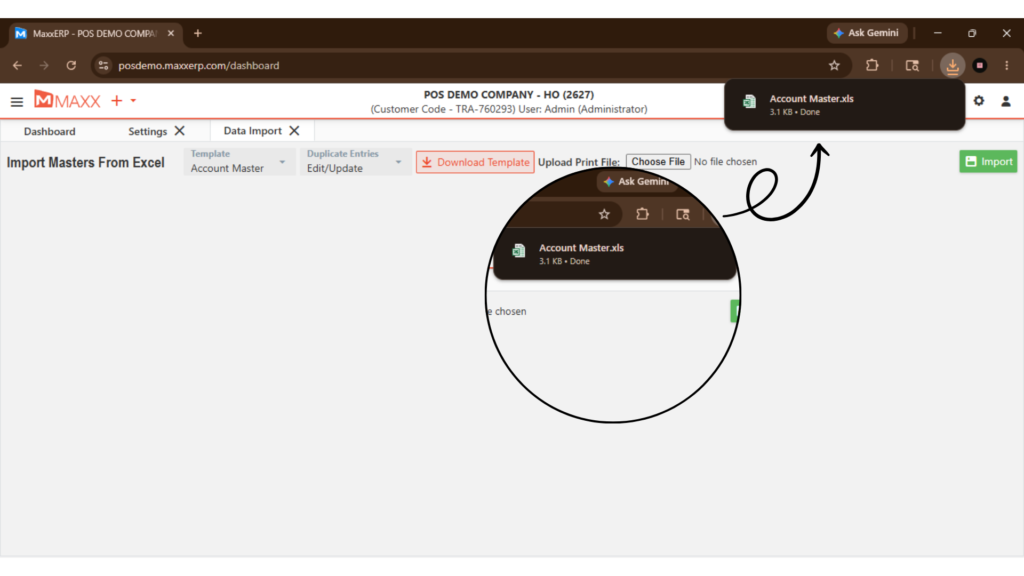
Smart Data Mapping
Align your spreadsheet columns with the correct ERP data fields using the built-in mapping tool — no technical expertise needed, just point and match.
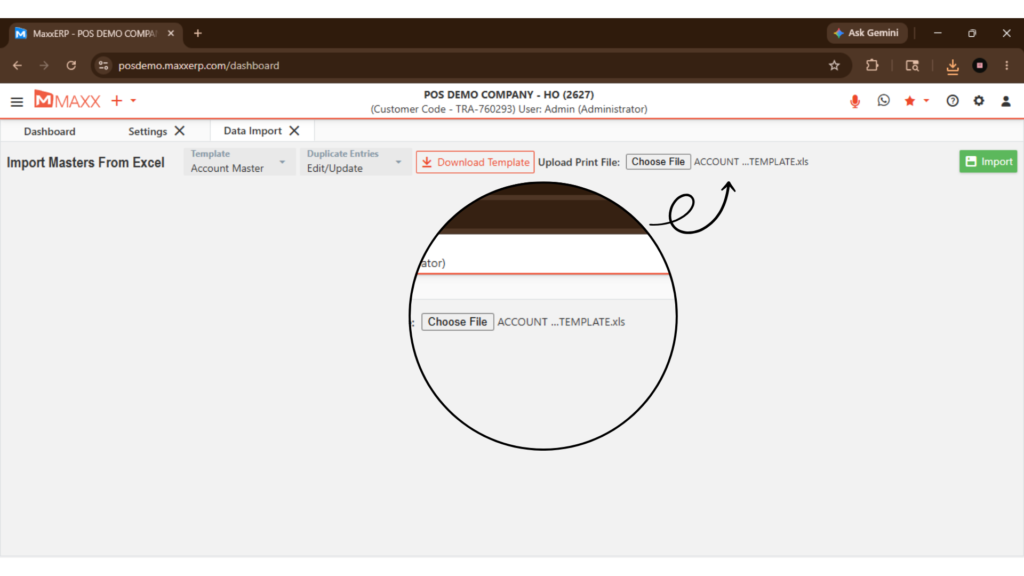
Validation Engine
Automatically check every record for errors, missing fields, or mismatches before the data is committed to your system — so nothing incorrect ever enters your ERP.
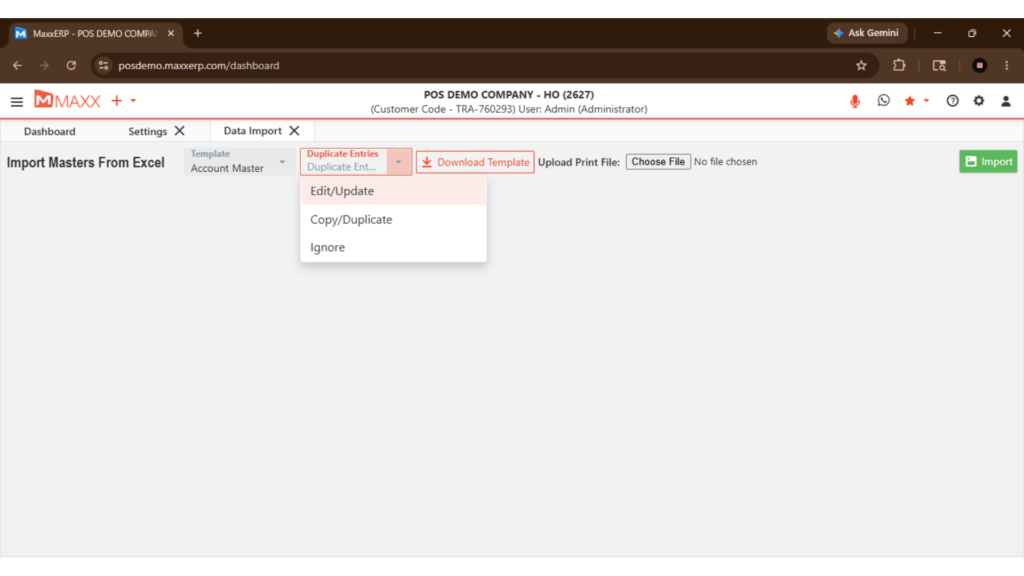
Universal Data Support
Handles all major data types including, customer masters, vendor masters, Opening balance/stocks — all in one importer.
Advantages of Maxx Excel Importer

Drastically reduces time required for initial data migration and setup.

Eliminates clerical errors caused by manual data entry completely.
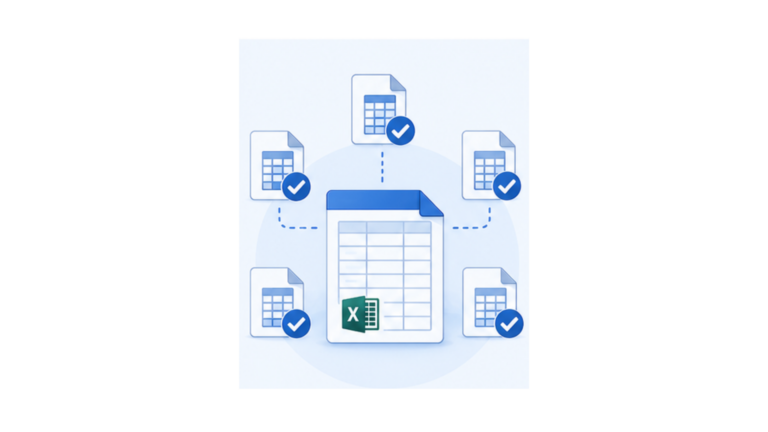
Provides a consistent Excel format for all team members to follow.

Simplifies bulk updates for large product catalogs and price lists.

Lets staff focus on analysis and operations instead of data entry.
FAQs
Maxx Excel Importer is a bulk data import and mapping tool that lets you prepare data in Excel, map your columns to the correct ERP fields using the built-in mapping interface, and import thousands of records into your ERP in just a few clicks — without any manual entry.
No, use pre-built, ready-to-fill Excel templates with a fixed structure — simply enter your data in the defined format and import directly into your ERP without any formatting errors or field mismatches.
The importer handles all major data types including customer masters, vendor masters, and opening balances and stocks — covering your complete business data needs.
The built-in validation engine automatically checks every record for errors, missing fields, or incorrect formats before the data is committed — ensuring only clean, accurate data enters your ERP.
Maxx Excel Importer is built for enterprise-grade bulk imports, allowing you to manage massive datasets efficiently.
