
Maxx Tally Connector bridges your Maxx ERP and Tally — moving financial records, vouchers, and masters accurately and instantly so your audit numbers always match.
Your Financial Data, Perfectly Synced.
Eliminate manual audit entries with Maxx Tally Connector. Transfer financial data easily and maintain trial balance consistency.
Who
Designed for accountants, auditors, and business owners who use Tally for finalization while managing daily operations on MaxxERP.
How
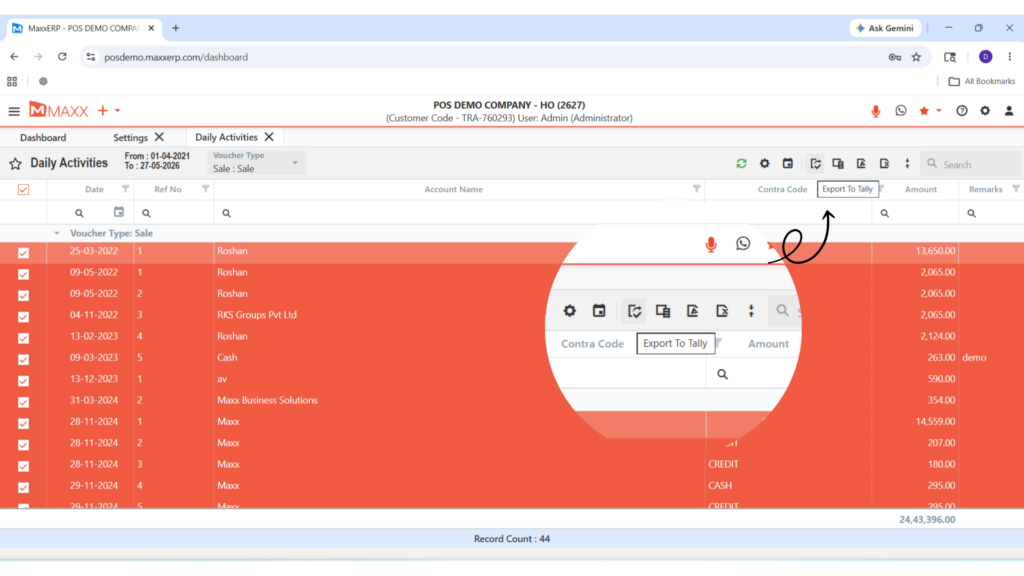
Select your required date range and voucher types, then export masters and transactions directly into a Tally-compatible format.
When
Essential during month-end closings, tax filing seasons, and annual audits to ensure financial records are identical in both systems.
Feature Highlights
Financial Data Export
Export accounting data to Tally from Maxx ERP in just a few clicks covering all financial records accurately and completely.
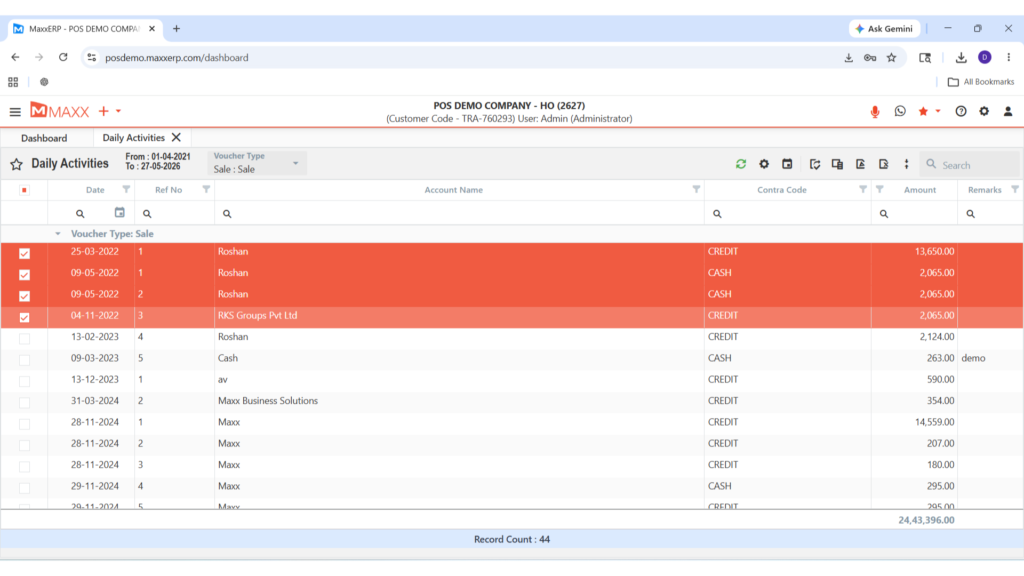
Smart Filters
Use voucher type filters and date range options to export only the data you need — nothing more, nothing less.
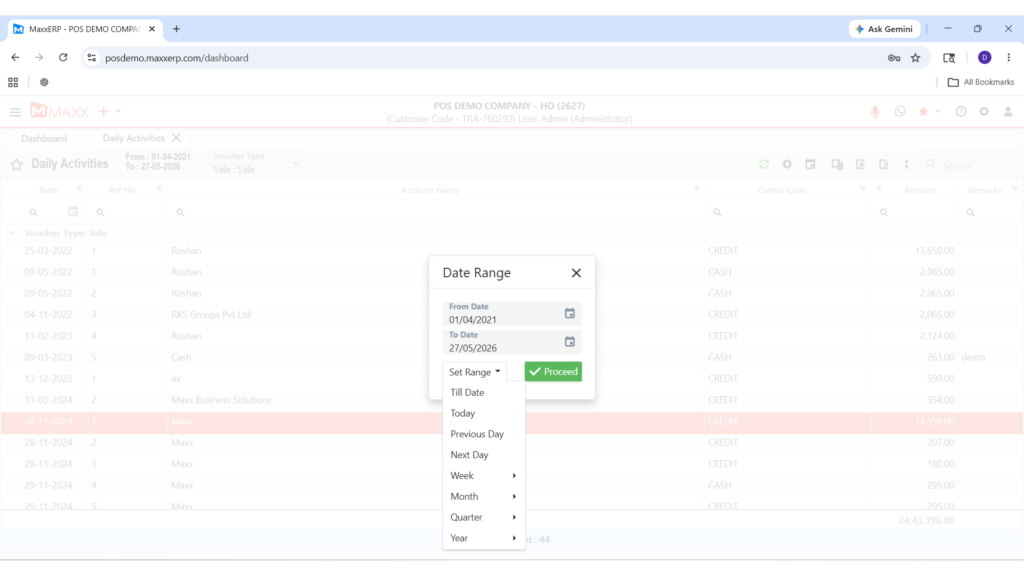
Master Data Transfer
Export masters along with their opening balances to maintain complete ledger accuracy across both platforms.
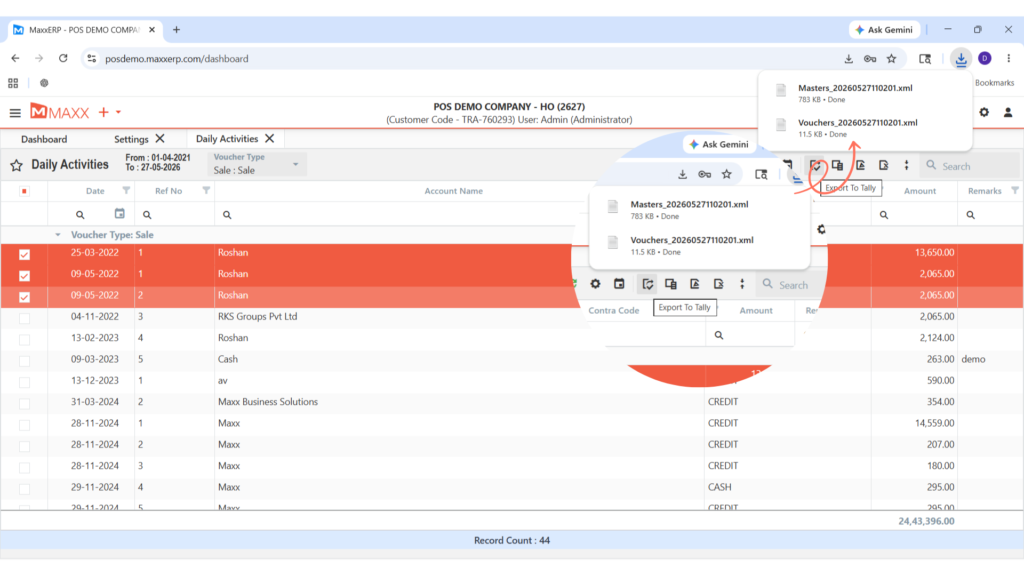
Journal Integration
All vouchers are exported as professional journal entries for clean, standard accounting records inside Tally.
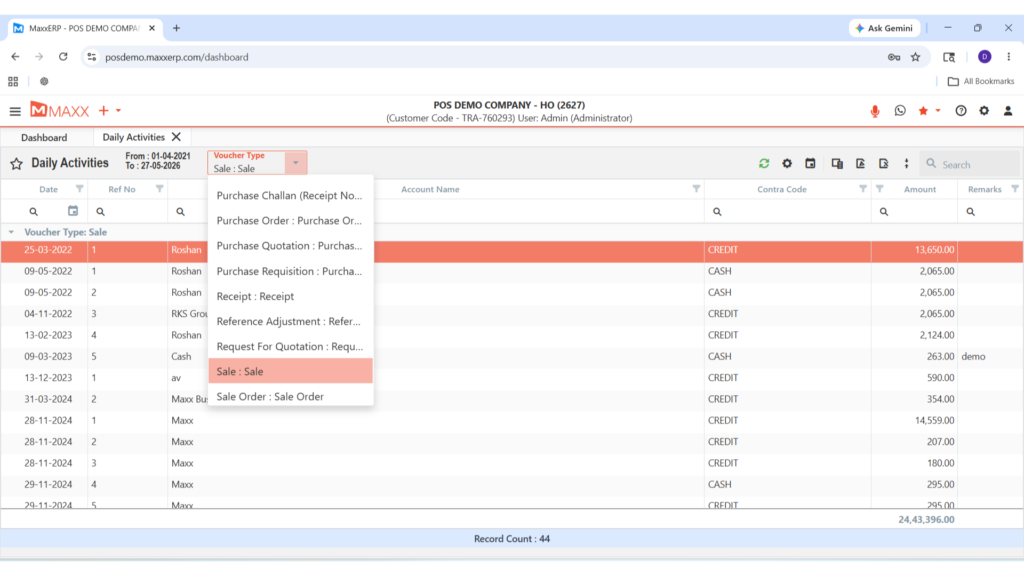
Trial Balance Consistency
Maintain identical trial balance figures in both Maxx ERP and Tally automatically, every time.
ADVANTAGES OF MAXX TALLY CONNECTOR

Saves hours of manual data entry for accounting teams.

Reduces human errors during audit preparation.

Ensures full compliance with standard accounting practices.

Simplifies communication between your business and external auditors.
Makes audit season stress-free with accurate, ready-to-use Tally data.
FAQs – Maxx Tally Connector
Maxx Tally Connector lets you export accounting data to Tally directly from Maxx ERP — covering financial vouchers, masters, and opening balances in just a few clicks, without any manual data entry.
Yes. The connector includes a date range filter, allowing you to export data for a single day, a specific month, or the entire financial year — giving you full control over what gets transferred.
Absolutely. You can export master's along with their current opening balances to ensure your Tally ledgers match your Maxx ERP records exactly.
Yes. Maintaining trial balance consistency across Maxx ERP and Tally is one of the core purposes of the connector — so your audit numbers are always identical.
Not at all. The interface is designed for simplicity — even non-technical staff can export accounting data to Tally in just a few clicks without any training.
