
Managing Multi-Branch Retail Operations Without Losing Control
ERP software for pharmacy retail chains ERP Software for Pharmacy Retail Chains: What to Look For Why Pharmacies Can’t Run on Generic Retail Software A pharmacy looks like a retail shop from the outside, but operationally it behaves very differently. Every product has a batch number and an expiry date. Prices are tied to a printed MRP that you can’t exceed. Some medicines can only be sold against a prescription, and certain categories need their own records. A single wrong strip handed over isn’t just a billing error; it can be a patient safety issue. Now multiply that by five, ten, or fifty outlets. Stock moves between branches, purchases come from multiple distributors, and the owner needs one clear picture of what’s selling, what’s expiring, and where money is getting stuck. Generic billing tools and spreadsheets can’t carry that load for long. This guide breaks down what a pharmacy retail chain should look for in an ERP, so you can evaluate options based on what actually matters in this business, not on a long feature list built for a different industry. What Makes Pharmacy Operations Different Before comparing software, it helps to name the specific pressures a pharmacy chain deals with every day: Stock is only sellable until its expiry date, so a medicine sitting in the wrong branch is a direct financial loss. The same medicine often exists in several batches with different expiry dates and sometimes different MRPs. Pricing is capped at MRP, so margin management depends on purchase terms and scheme discounts, not on setting your own price. Some medicine categories require prescription details and record-keeping that must be accurate and easy to retrieve. Distributors offer schemes, free quantities, and discounts that need to be captured correctly at purchase time. Expired or near-expiry stock often has to be returned to the distributor, and that process needs proper tracking. An ERP built for this environment needs to handle these as core workflows, not as workarounds. What to Look For in a Pharmacy ERP Batch-Wise Stock with Expiry Tracking This is the foundation. Every purchase should be recorded with its batch number and expiry date, and every sale should deduct from the right batch. Look for a system that shows batch-wise stock clearly and warns you before stock expires, not after, so nothing quietly runs out of date on the shelf. Expiry-First Billing (Selling the Oldest Stock First) When the same medicine exists in multiple batches, the system should guide the counter staff toward the batch closest to expiry, and it should block the sale of anything already expired. This single control prevents a large share of avoidable write-offs and keeps older stock moving first. Near-Expiry Alerts and Reports You need a report that shows which products will expire in the next 30, 60, or 90 days, and in which branch. That gives you time to push the stock, transfer it to a faster-moving outlet, or arrange a return to the distributor, before it turns into a direct loss on your books. MRP and Margin Control Because you can’t sell above MRP, your profit lives in the purchase price. The ERP should track MRP, schemes, and free quantities for each batch, and alert you when a purchase comes in at a thinner margin than expected, so you catch it at purchase time and not at month-end. Smart Reordering Reordering by memory leads to both stock-outs and overstock. Look for reorder levels per product, vendor-wise ordering lists, and reports that show what is running low and what is moving slowly, so every purchase decision is based on real data and not on guesswork or habit. Multi-Branch Visibility and Stock Transfers For a chain, the owner should see stock, sales, and expiry exposure across all outlets from one place, and move stock between branches with a proper record. This way, slow stock sitting in one outlet can become a sale in another, instead of expiring quietly on the shelf. Why the Right ERP Matters for a Pharmacy Chain Lower Wastage from Expiry Early alerts and expiry-first selling directly reduce the stock you have to write off, which is one of the biggest hidden costs in pharmacy retail. Stronger, More Predictable Margins When purchase cost, scheme benefits, and MRP are tracked together, you see your true margin per product and per supplier, and you can negotiate with distributors using real numbers. Fewer Billing and Dispensing Errors Batch-aware billing and expired-stock blocks reduce the chance of the wrong batch or an expired product reaching a customer. One View Across Every Outlet Owners and managers stop chasing branch-wise reports and instead see consolidated stock, sales, and expiry data in one place. Faster Month-End and Compliance Work With clean records captured at the time of purchase and sale, returns, audits, and inspections become a matter of pulling reports, not reconstructing history. FAQs – ERP Software for Pharmacy Retail Chains 1. Why can’t a standard retail billing software handle a pharmacy? Standard billing tools usually track stock at the product level only. A pharmacy needs batch-level and expiry-level tracking, MRP controls, and often prescription records, which general retail software doesn’t handle well. 2. How does an ERP help reduce expired stock? By tracking expiry date for every batch, flagging near-expiry stock in advance, and guiding billing toward the oldest batch first. That gives you time to sell, transfer, or return stock before it becomes a loss. 3. Can I manage multiple outlets and move stock between them? A good pharmacy ERP supports multi-branch operations with a consolidated view and recorded stock transfers, so you can rebalance inventory across outlets instead of letting it expire in one. 4. Does the system help me understand my actual margin? Yes, when purchase price, scheme discounts, free quantities, and MRP are all captured at purchase time, you can see the real margin per batch and per supplier, instead of estimating it. 5. How long does it take to move a pharmacy chain onto an ERP? A single outlet can
ERP Software for Pharmacy Retail Chains: What to Look For
Managing Multi-Branch Retail Operations Without Losing Control Why Growth to a Second Branch Changes Everything Running one store is something an owner can do with a sharp eye and a good team. You see the shelves, you know the regular customers, and you can feel when something is off. The moment you open a second branch, that changes. You can only be in one place at a time, and the other store now runs on the systems and habits you’ve built. By the time you reach three, five, or ten branches, the questions get harder. Which branch is running low on a fast-moving product while another is sitting on too much of it? Are prices and discounts consistent across stores? Who billed that transaction, at which counter, and when? Without a clear system, owners end up chasing branch managers for numbers, waiting for end-of-day reports that arrive late and don’t match, and making decisions based on whichever store happened to call first. This guide covers what really goes wrong as retail businesses add branches, and how to keep control without having to be physically everywhere. Where Control Slips as You Add Branches Most multi-branch problems come from the same handful of gaps: Stock imbalance: one branch runs out of a product while another holds slow-moving stock of the same item, and nobody notices until a customer complains or the stock expires. Inconsistent pricing: different branches end up with different prices or discounts for the same product, either by mistake or because updates reach each store at different times. Delayed and mismatched reports: every branch reports in its own format and on its own schedule, so the owner never has one reliable picture of the business. Weak accountability: when something goes wrong, it’s hard to trace which branch, counter, or staff member handled a transaction. Manual stock transfers: goods move between branches on a phone call or a handwritten note, and the records rarely match what physically moved. Dependence on individual managers: each branch runs on its manager’s personal way of working, so quality varies and a single resignation can disrupt a whole store. What Control Looks Like in Practice Good multi-branch management doesn’t mean watching every transaction. It means setting up a few things properly so the business runs consistently and exceptions come to you, rather than you going looking for them. One Central Product and Price Master Products, tax rates, and pricing are defined once and apply across branches, so every store sells the same item at the same price unless you deliberately decide otherwise. When a price or tax rate changes, it changes everywhere together, with no branch left on the old rate. Live, Consolidated Stock Visibility You can see stock for every product across every branch in one place. That lets you spot where something is running low and where it’s piling up, and decide whether to reorder or move stock between stores, before a shelf goes empty or a slow item turns into dead stock. Recorded Stock Transfers Between Branches When goods move from one branch to another, the transfer is recorded in the system with quantities and dates, so both branches’ stock stays accurate and nothing disappears between stores. It replaces phone calls and handwritten notes with a clear, traceable record of every movement. Branch-Wise and Consolidated Reporting Sales, purchases, and stock reports can be viewed branch by branch or combined for the whole business. You compare performance fairly, because every branch is measured with the same data, and you can see quickly which store needs your attention and which is running well. Clear Traceability for Every Bill Every transaction should carry the branch, counter, date, and time it was billed from. With that detail on each bill, tracing a query, a refund, or a discrepancy becomes a quick lookup instead of an investigation, and your team knows every sale can be traced back. Role-Based Access by Branch A branch manager should see and act on their own store’s data, while owners and head-office staff see across all branches. Clear permissions protect sensitive information and prevent accidental changes, and they let you delegate daily work without giving up control of the business. Why This Matters Beyond Convenience Less Stock Wasted and Fewer Missed Sales When you can see stock across all branches, you can move slow stock to where it will sell and avoid losing sales on items one branch has run out of. Consistent Customer Experience Customers expect the same price and service at any of your branches. A shared master and consistent processes keep that promise. Faster, Better Decisions Owners who can see all branches in one view spend their time on decisions such as which store needs attention, rather than on gathering the numbers needed to decide. Stronger Accountability Without Micromanaging With every bill traceable to a branch, counter, and time, you don’t need to supervise closely. Problems show up in the data, and your team knows it. A Foundation for Opening the Next Branch A business with consistent systems can add a new branch by repeating a proven setup, instead of reinventing how things work each time. FAQs – Managing Multi-Branch Retail Operations 1. At what point does a business need a proper multi-branch system? Usually as soon as you open a second location. If you’re already reconciling numbers by phone or spreadsheet between two stores, the cost of doing it manually will only increase with each new branch. 2. Can I still let branches handle their own purchasing? Yes. Many chains let branches raise their own purchases within rules set centrally. What matters is that the data lands in one shared system, so you can see what each branch has ordered and avoid duplicate or excess purchasing. 3. How do I make sure all branches follow the same prices? By defining products and prices in one central master. When a price changes, it updates for every branch together, rather than relying on each store to update its own list.
Signs Your Business Has Outgrown Spreadsheets and Needs an ERP
Signs Your Business Has Outgrown Spreadsheets and Needs an ERP Why Spreadsheets Work Great — Until They Don’t Spreadsheets are genuinely excellent tools. They’re flexible, familiar, and free — which is exactly why almost every growing business starts there. For a one-person operation or a small team, Excel or Google Sheets can handle inventory, invoicing, and basic reporting without any fuss. The problem isn’t spreadsheets themselves. It’s that they were never designed to be a shared, real-time system of record for a growing business. They were built for individual analysis, not multi-person, multi-location, multi-process operations. As a business adds people, products, locations, or complexity, the cracks start showing — quietly at first, then in ways that cost real money and real time. This guide walks through the specific signs that tell you you’ve crossed that line, so you’re making the decision based on evidence, not just gut feeling. The Core Problem: Spreadsheets Don’t Scale With People A spreadsheet works well when one person owns it. The moment multiple people need to update the same data — sales entering orders, warehouse updating stock, accounts recording payments — spreadsheets start fighting the very things that make a business function smoothly: accuracy, visibility, and speed. 9 Signs You’ve Outgrown Spreadsheets 1. Multiple People Are Editing the Same File, and Versions Keep Conflicting You’ve seen filenames like “Stock_Final_v3_ACTUAL.xlsx.” If your team spends time figuring out which version is correct, or has overwritten each other’s work, this alone is reason enough to move on. 2. Your Stock Count Doesn’t Match What’s Actually on the Shelf When sales, purchases, and stock adjustments are tracked in separate files or entered with a delay, the numbers drift from reality. If you’ve stopped trusting your own stock sheet, customers or orders are likely being affected too. 3. Reordering Decisions Are Based on Gut Feeling, Not Data If nobody can quickly answer “what do we need to reorder this week, and from whom,” you’re relying on memory and instinct rather than a system that tracks reorder points and vendor history automatically. 4. Closing the Books Each Month Takes Days, Not Hours If your accountant spends days reconciling sales, purchases, and expenses across scattered spreadsheets before you can see a clear financial picture, that delay is a direct cost to how fast you can make decisions. 5. You Have More Than One Location, and Reconciling Them Is a Manual Nightmare Multiple warehouses, stores, or branches each keeping their own spreadsheet means someone has to manually combine and cross-check numbers — a process that gets slower and more error-prone with every new location you add. 6. There’s No Clear Audit Trail If you can’t easily answer who changed a number, when, and why, you have a visibility problem. This becomes a real risk once investors, auditors, or lenders start asking questions. 7. Onboarding a New Employee Takes Too Long If training someone to “our system” means walking them through a maze of shared folders and ad hoc conventions that live in someone’s head, you don’t have a system — you have institutional memory that’s hard to transfer. 8. You’re Manually Re-Entering the Same Data in Multiple Places If a sale gets entered once in a billing spreadsheet, then again in an accounting file, then again in a stock tracker, you’re not just wasting time — you’re multiplying the chances of a data entry error at every step. 9. GST or Compliance Reporting Is a Scramble Every Filing Cycle If preparing your GST returns means manually compiling invoices and purchase records from scattered files rather than pulling a ready report, compliance has become a recurring fire drill instead of a routine task. What an ERP Actually Fixes That Spreadsheets Can’t One Shared Source of Truth Everyone — sales, purchase, warehouse, accounts — works off the same live data instead of separate files that need to be manually reconciled. Built-In Process, Not Just Storage An ERP doesn’t just hold data; it enforces a workflow — a purchase has to be approved before it’s recorded, a sale updates stock automatically, a reorder alert triggers when stock hits a threshold. Spreadsheets store information; they don’t manage process. Real-Time Accuracy Across Locations Stock, sales, and financial data update as transactions happen, so multiple branches or warehouses stay reconciled automatically instead of requiring someone to manually combine numbers at the end of the day. A Traceable Record for Every Transaction Every entry is logged with who made it and when, giving you the audit trail that spreadsheets simply can’t provide without significant manual discipline. Faster, Cleaner Compliance With sales and purchase data already structured correctly, GST and other regulatory reporting becomes a matter of reviewing a ready report, not reconstructing one from scratch every cycle. FAQs 1. How do I know if it’s really time, or if we just need better spreadsheet discipline? If your issues are purely about formatting or a lack of a shared process, better discipline might help temporarily. But if more than two people are regularly editing the same data, or you’re managing more than one location, spreadsheets structurally can’t solve that — no amount of discipline fixes a tool that wasn’t built for multi-user, real-time use. 2. Won’t switching to an ERP slow my team down at first? There’s typically a short adjustment period, usually one to two weeks, as staff move from familiar spreadsheets to structured workflows. A good implementation plan with parallel testing and hands-on training minimizes this disruption. 3. Is this only worth it for larger businesses, or does it make sense for a small team too? Even a small team benefits once more than one person touches the same data regularly — the earlier you move, the less historical data you have to migrate and the less time you’ve spent compensating for spreadsheet limitations. 4. What’s the biggest risk of staying on spreadsheets too long? The biggest risk isn’t one dramatic failure — it’s the accumulation of small errors, lost time, and decisions made on outdated or
GST E-Invoicing and E-Way Bills: How MaxxERP Automates Compliance
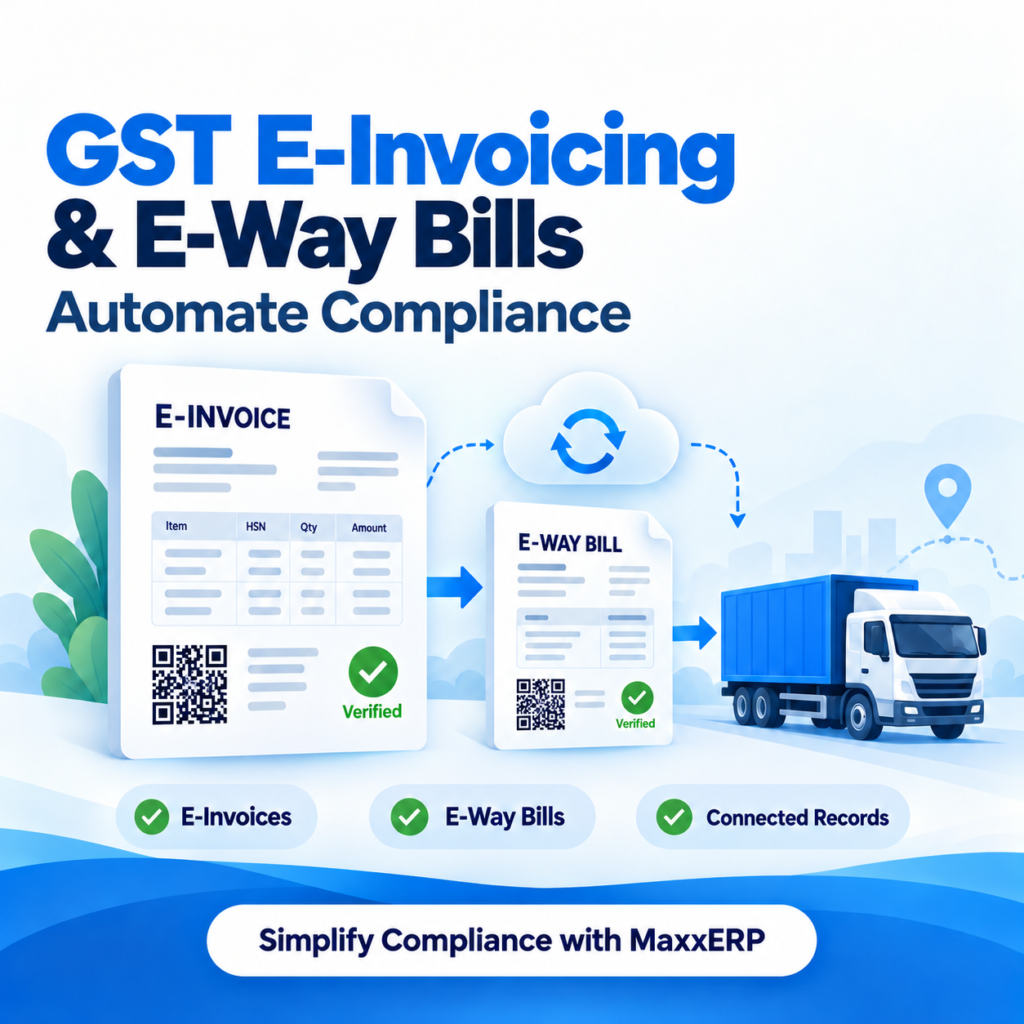
GST E-Invoicing and E-Way Bills: How MaxxERP Automates Compliance Why GST Compliance Has Become a Daily Operational Task, Not Just an Accounting One For years, GST compliance was something businesses thought about at return-filing time — a monthly or quarterly exercise handled by the accounts team. That’s no longer true. With e-invoicing mandates extending to smaller turnover thresholds and e-way bill requirements applying to routine goods movement, GST compliance now happens at the point of every sale and every dispatch, not just at month-end. For a growing business, this means compliance can’t be a manual, after-the-fact process anymore. An invoice with a mismatched HSN code, a missing IRN, or a delayed e-way bill isn’t just an accounting inconvenience — it can hold up a delivery at a checkpost, invite penalties, or block your customer’s own input tax credit. MaxxERP builds GST e-invoicing and e-way bill generation directly into the billing and dispatch process, so compliance happens automatically as part of doing business, not as a separate task bolted on afterward. What Manual or Disconnected GST Compliance Actually Costs You Before looking at how automation helps, it’s worth naming what goes wrong without it: Invoices get raised in one system and then re-entered into a separate e-invoicing portal, doubling data entry and introducing transcription errors. E-way bills get generated late or forgotten entirely for time-sensitive dispatches, risking penalties or goods being held up in transit. HSN codes and tax rates get applied inconsistently across products, leading to mismatches during return filing. Reconciling GSTR filings against actual sales and purchase records becomes a manual, error-prone exercise every filing cycle. Businesses operating across multiple states or branches struggle to keep GSTIN-wise records consistent and centrally visible. A GST-aware ERP is meant to remove these gaps entirely, rather than just making the accountant’s job marginally easier. What GST Compliance Automation in MaxxERP Covers E-Invoice Generation at the Point of Billing Rather than raising an invoice and separately uploading it to the government e-invoicing portal, MaxxERP generates the e-invoice as part of the regular billing process, attaching the required IRN (Invoice Reference Number) and QR code directly to the invoice — so compliance happens in the same step as the sale, not as a follow-up task. Automated E-Way Bill Generation for Goods Movement For shipments that cross the applicable value or distance thresholds, MaxxERP can generate the e-way bill directly from the same sales or dispatch transaction, carrying over vehicle number, transporter details, and consignment value without needing a second manual entry into a separate system. HSN Code and Tax Rate Management at the Product Level Every product in the system carries its own HSN code and applicable GST rate, defined once in the product master, so tax calculation is applied consistently across every invoice without relying on billing staff to select the correct rate manually each time. Multi-Branch and Multi-GSTIN Support For businesses operating across states or multiple registered branches, MaxxERP keeps GSTIN-wise transaction records separated and organized, so filing and reconciliation don’t require manually sorting through a single combined ledger. Return-Ready Reporting Sales and purchase data is maintained in a structure aligned with standard GST return formats, reducing the manual reconciliation work typically needed before filing GSTR returns. Audit Trail for Every Invoice and E-Way Bill Every invoice, e-way bill, and any subsequent amendment is logged with a timestamp and user record, giving you a traceable history if a transaction is ever questioned during an audit. Why This Matters Beyond Just “Staying Compliant” Fewer Delays in Goods Movement When e-way bills are generated automatically as part of the dispatch process, shipments aren’t held up because someone forgot to raise one separately before the vehicle left. Reduced Risk of Penalties and Notices Consistent HSN coding, accurate tax application, and properly timed e-invoice generation reduce the chances of mismatches that typically trigger scrutiny or penalty notices later. Faster, Less Stressful Return Filing When invoice and purchase data is already structured correctly at the point of entry, monthly or quarterly return filing becomes a matter of review and submission, not weeks of manual data cleanup. Better Visibility Across Multiple Branches For businesses with more than one registered location, having GSTIN-wise records organized centrally means management doesn’t have to chase separate reports from each branch to get a consolidated compliance picture. Less Dependency on a Single Person’s Knowledge When compliance logic (HSN codes, tax rates, e-invoicing rules) is built into the system rather than held in one accountant’s head, the business isn’t as exposed if that person is unavailable during a critical filing period. FAQs 1. Does MaxxERP generate the e-invoice automatically, or do I still need to upload it separately to a government portal? The e-invoice, including the IRN and QR code, is generated as part of the regular billing process, removing the need for a separate manual upload step for each invoice. 2. What happens if a shipment doesn’t cross the e-way bill threshold? The system only triggers e-way bill generation for transactions that meet the applicable value or distance thresholds, so you’re not required to generate one for every single dispatch. 3. Can I manage multiple GST registrations (GSTINs) for different branches in one system? Yes — MaxxERP supports multi-branch and multi-GSTIN setups, keeping transaction records organized separately by registration while still giving centralized visibility. 4. Does this replace the need for an accountant to review GST returns? No — it reduces the manual data preparation work involved, since sales and purchase records are already structured in a return-ready format, but final review and filing still benefit from accountant oversight, particularly for reconciliation and adjustments. 5. What if a product’s tax rate changes after we’ve already set it up? You update the tax rate once in the product master, and every invoice going forward automatically applies the new rate — there’s no need to correct rates invoice by invoice.
Best ERP for Supermarket and Grocery Store Management
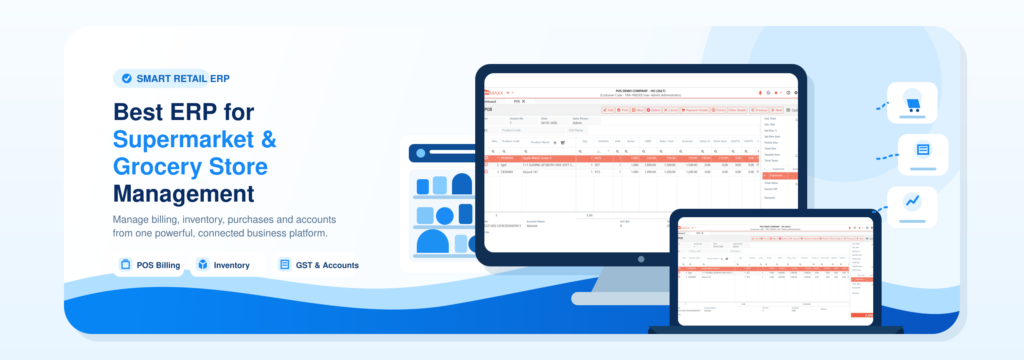
Best ERP for Supermarket and Grocery Store Management Why Supermarkets Outgrow Generic Billing Software Fast Running a supermarket, departmental store, or grocery chain isn’t like running a typical retail shop. You’re managing thousands of SKUs across categories — packaged goods, loose fruits and vegetables, repacked bulk items, perishables with tight shelf lives — often from dozens of vendors, each with their own MRP, barcode, and pricing terms. A basic billing tool can ring up a sale, but it can’t tell you which batch is about to expire, whether your margin just got squeezed by a vendor’s MRP change, or which crate went out with which delivery boy this morning. This is where a purpose-built ERP for supermarket and grocery management becomes essential rather than optional. MaxxERP was built around exactly these day-to-day realities — not as a generic POS with inventory bolted on, but as a system designed from the ground up for how supermarkets actually operate: multiple vendors, MRP-driven pricing, expiry-sensitive stock, repacked goods, and high transaction volume at the counter. What a Supermarket ERP Actually Needs to Handle Before looking at features, it’s worth naming the specific problems generic software struggles with in a supermarket setting: Products with a vendor-fixed MRP need automatic margin protection when that MRP changes — not a manual master update every time. Perishables and packaged goods have very different shelf-life rules, and expiry tracking needs to work differently for each. Bulk purchases (a 100kg rice bag, a drum of oil) often need to be repacked and sold in multiple smaller retail sizes. Billing staff need instant clarity when the same product exists in multiple batches with different MRPs or expiry dates. Loose items — fruits, vegetables, pulses — need weight-based billing, often through a weighing scale, without manual barcode printing for every item. Home delivery operations need a way to track physical assets like delivery crates, not just the invoice. MaxxERP’s Supermarket and Grocery module is built specifically around these mechanics. What’s Inside MaxxERP for Supermarkets and Grocery Stores MRP-Based Margin Protection For products with a vendor-fixed MRP, you define the agreed markdown percentage once. If the vendor’s MRP changes on a later purchase, the system automatically recalculates your margin against that percentage and alerts you if it falls below your defined minimum — so shrinking margins get caught immediately, not discovered at month-end. Batch and Expiry Tracking, Built for Perishables Every product can carry its own shelf-life rule — a few days for fresh produce, months for packaged goods — and the system auto-calculates expiry dates from either the purchase date or manufacturing date. Short-expiry alerts flag stock that needs to move before it’s wasted, and expired stock is blocked from being billed at the counter. Batch-Wise Billing Intelligence When the same product exists in more than one batch — different expiry dates, different MRPs — the system prompts the cashier at billing to select the correct batch, preventing pricing errors and keeping FIFO stock rotation accurate. This stops a common counter mistake: billing new stock while older, closer-to-expiry stock keeps sitting on the shelf. Repacking Management Bulk purchases can be mapped to every possible repack size in the product master — a 100kg rice bag broken into 1kg, 5kg, or 25kg retail packs, for instance — so your buying and selling units stay properly reconciled without manual recalculation. This keeps stock counts accurate even when one purchased lot gets sold across several different pack sizes. Weighing Scale Integration For loose items like fruits, vegetables, and pulses, MaxxERP integrates with weighing scale hardware to auto-generate a barcode encoding the product code, weight, and rate directly at the point of weighing — no manual entry or separate barcode printing needed. This speeds up billing at the fresh produce counter while keeping pricing consistent and error-free. Vendor-Wise Reorder Planning Define which products get reordered from which vendor on which day, and the system tracks last purchase price, vendor performance, and stock levels to generate a ready reorder list — turning purchasing from guesswork into a scheduled process. You always know exactly what to order, from whom, and when, without relying on memory or manual stock checks. Why This Matters for a Growing Supermarket Business Fewer Margin Leaks Automatic MRP-vs-margin tracking means you stop losing money silently to vendor price changes you didn’t notice. Less Wastage from Expired Stock Shelf-life tracking and short-expiry alerts mean perishables get flagged and moved before they become a write-off. Fewer Billing Errors at the Counter Batch-aware billing and expiry blocks stop cashiers from accidentally selling expired stock or the wrong-priced batch during a busy rush. Faster, More Accurate Purchasing Vendor-wise reorder lists replace ad hoc “let’s check what’s low” purchasing with a structured, day-by-day plan. Better Control Over Delivery Operations Crate tracking and delivery status visibility close a common gap where physical assets quietly go missing without anyone noticing until stock counts don’t add up. FAQs 1. Can MaxxERP handle both packaged branded goods and loose produce in the same system? Yes — the system supports both MRP-based pricing for branded packaged products and markup-on-cost pricing for loose or repacked items, so you’re not forced to manage them separately. 2. How does the system prevent selling expired stock? Every product carries a shelf-life rule and calculated expiry date. If a product has passed its expiry date, the system blocks it from being billed at the counter rather than just showing a warning. 3. What happens if a vendor’s MRP changes between purchases? You don’t need to manually update the product master. The system recalculates margin automatically based on your agreed markdown percentage and alerts you if the new MRP would push your margin below the minimum you’ve defined. 4. Does MaxxERP work with weighing scales for fruits and vegetables? Yes — it integrates with weighing scale hardware to generate a barcode encoding product, weight, and rate at the point of weighing, avoiding manual entry for loose items. 5. Is this suitable for a single store, or only large
Mobile ERP for field teams
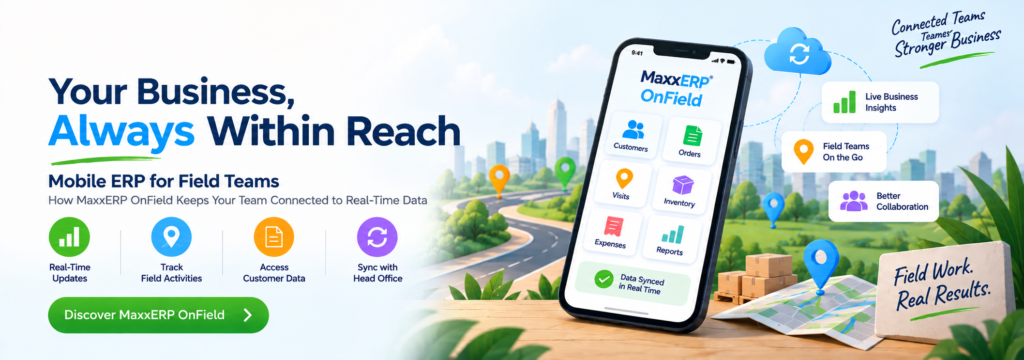
Mobile ERP for Field Teams How MaxxERP OnField Keeps Your Team Connected to Real-Time Data Why Field Teams Break Traditional ERP Workflows Most ERP systems are built for people sitting at a desk. That works fine for accounts and back-office staff, but it falls apart the moment your business depends on people who are out in the field — sales reps visiting retailers, executives running daily beats, field staff logging visits across a city. These teams need to check in at a customer location, capture proof of a visit, or see today’s route from wherever they are, not wait until they’re back at a desk to update anything. When field data lags behind reality, the cost shows up everywhere: a manager has no idea where the team actually is, a missed visit doesn’t get noticed until the customer complains, and daily reports become guesswork instead of fact. MaxxERP OnField was built specifically to close this gap — putting live location tracking, visit reporting, and performance dashboards directly into the hands of the people working outside the office, and back into the hands of the managers tracking them. What Field Teams Actually Struggle With Before looking at features, it helps to name the actual problems a mobile ERP needs to solve: Managers can’t tell whether a rep actually visited a customer, or just marked it done from their desk later. Routes are planned informally, if at all, wasting hours in avoidable travel between stops. Visit proof — a photo, a signature, a note — either doesn’t exist or arrives days late in a WhatsApp message that gets lost. Performance data is scattered across individual reps’ memories and end-of-week reports, so decisions get made too late to matter. Daily reporting eats into selling time, with reps manually writing up what they did instead of the system capturing it automatically. MaxxERP OnField is designed around exactly these gaps. Why This Matters for the Business, Not Just the Field Team Faster, More Confident Decisions When a sales manager can see live visit data instead of waiting for an end-of-day summary, they can redirect a rep, follow up on a stalled account, or flag an issue the same day it happens — not a week later when it’s too late to matter. Accountability Without Micromanaging Live tracking and photo-based proof remove the guesswork from “did the visit actually happen,” which means managers spend less time chasing confirmation and more time on strategy and coaching. Less Time Lost to Admin Work Automated daily reports and in-app check-ins mean reps aren’t burning an hour a day on paperwork that adds no value to the actual sale. A Connected View From Desktop to Phone in the field — visits, photos, routes, check-ins — feeds into the same MaxxERP system your office team already uses. There’s no separate spreadsheet, no re-entering data, no gap between what happens on the road and what shows up in the numbers. Smarter Territory and Route Decisions With route data and visit patterns visible on one dashboard, managers can spot which territories are being over-served, which are being neglected, and adjust route plans based on actual travel and visit data — not assumptions made months ago. Stronger Forecasting and Planning When visit frequency, conversion patterns, and rep performance are all captured automatically, sales leadership gets reliable data to forecast pipeline and plan targets — instead of building forecasts on gut feeling or incomplete weekly updates. What Rolling Out MaxxERP OnField Actually Involves Mapping your team’s current visit and reporting process — understanding how routes, visits, and reports work today, so the app is configured around how your team actually operates, not a generic template. Setting up route planning and check-in workflows — configuring optimized routes and defining what a “completed visit” requires (check-in, photo, notes) for your specific business. Onboarding the field team on the app — a short, hands-on walkthrough of check-ins, photo capture, and route navigation, so reps are comfortable from day one rather than defaulting back to old habits. Setting up manager dashboards — configuring the performance views that matter most to your sales leadership, so insights are visible from day one, not buried in raw data. Running a pilot with one team or territory — testing live tracking, visit reports, and daily reporting with a smaller group first, then expanding once the workflow is proven. FAQs – Mobile ERP for Field Teams 1. How does OnField make sure a visit was actually completed, not just marked done? Every visit can be backed by image-based visit reports, giving managers photo proof alongside the check-in — removing the guesswork around whether a visit genuinely happened as reported. 2. Will my sales team feel like they’re being watched, or supported? Live tracking and visit reports are designed to remove guesswork from performance conversations, not create surveillance. Most teams find that clear, automatic reporting actually reduces the number of “check-in” calls and status updates managers ask for, giving reps more uninterrupted selling time. 3. Can managers see performance data in real time, or only at the end of the day? Performance dashboards update as visits and check-ins happen, so managers can see progress through the day rather than waiting for an end-of-day rollup. 4. Does this replace the need for a desk-based ERP system? No — OnField extends the same MaxxERP system your office team already uses out into the field. Visit data, photos, and reports feed directly into the same live records, not a separate tool. 5. How long does it take to see results after rollout? Most teams see a noticeable drop in reporting time and a clearer view of field performance within the first two to three weeks of a pilot, once reps are comfortable with check-ins and route planning.
Best ERP for 50-employee company
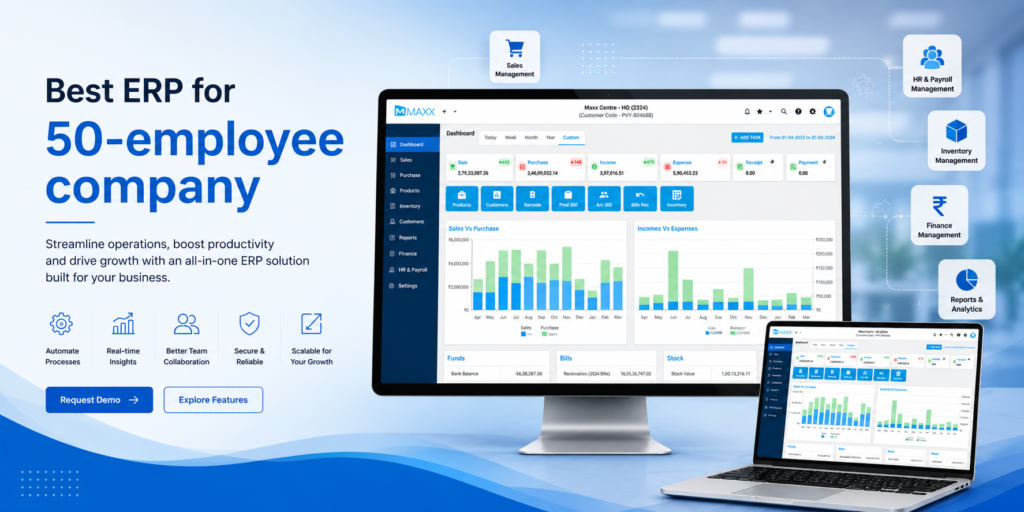
Best ERP for 50-employee company What Actually Fits at This Stage Why 50 Employees Is the Tipping Point Fifty employees is an odd number for software. You’re too big for spreadsheets and disconnected tools — too many people touching the same data, too many handoffs between sales, inventory, and finance for anything to stay accurate for long. But you’re also too lean for the bloated, enterprise-grade ERPs built for thousand-person organizations with dedicated IT teams and six-month implementation budgets. This is the stage where the wrong ERP choice costs you the most. Pick something too heavy, and you’ll spend the next year fighting the software instead of running your business. Pick something too light, and you’ll outgrow it in eighteen months and have to migrate all over again. This guide breaks down what a 50-employee company actually needs from an ERP, what to avoid, and how to evaluate options without getting lost in feature checklists built for a different kind of business entirely. What Changes Operationally Around 50 Employees At this size, a few things tend to happen at once: Multiple departments (sales, purchase, warehouse, accounts) start needing the same data in real time, and email/Excel handoffs start causing errors. If you’re still relying on spreadsheets for this, it’s worth understanding where Excel breaks down for inventory management before you scale further. You likely have more than one location, warehouse, or sales channel, and reconciling stock between them manually becomes a real time sink. Approval chains matter — someone needs to sign off on purchase orders, discounts, or expenses, and “ask around” no longer works. You’re being audited, or preparing to be, and need a clean, traceable record of who did what. Hiring is picking up, and onboarding someone to “our system” needs to take a day, not two weeks. An ERP chosen for this stage has to solve these problems without requiring a full-time administrator just to keep it running. Why Businesses at This Size Choose an ERP Over Ad-Hoc Tools Real-Time Visibility Across Departments When sales, inventory, and accounts are all looking at the same live numbers, decisions get faster and safer. Nobody is working off a spreadsheet that was accurate yesterday but wrong today. Role-Based Access and Approvals At 50 employees, not everyone should see everything, and not everyone should approve everything. A proper ERP lets you define who can create a purchase order, who can approve it, and who can only view reports — without building this logic yourself in shared files. One Source of Truth Across Locations If you run more than one warehouse, store, or branch, an ERP reconciles stock and transactions across all of them automatically, instead of you cross-checking multiple files by hand every evening. Faster Onboarding for New Hires A defined system with defined workflows is far easier to train a new employee on than “here’s our shared drive, ask Priya if you get stuck.” This matters more as hiring accelerates. Audit-Ready Records Every transaction, edit, and approval is logged automatically — who did it, when, and what changed. This becomes essential once you’re dealing with investors, auditors, or simply want to trust your own numbers. Room to Grow Without Re-Platforming The right ERP at 50 employees should still work at 150. You’re not just solving today’s problem — you’re avoiding a second, more disruptive migration a few years from now. What to Actually Look for in an ERP at This Stage Modular pricing — you shouldn’t have to pay for manufacturing or multi-currency modules you won’t touch for years. Look for systems where you can start with inventory, sales, and purchase, and add modules (HR, CRM, manufacturing) as you actually need them. Fast implementation — a 50-person company can’t afford a nine-month rollout. Look for vendors who can get you live in weeks, with a structured plan for data migration and parallel testing. GST and local compliance built in — for businesses in India, this isn’t optional. Invoice formats, tax rules, and e-way bills should be handled natively, not bolted on. Reasonable per-user pricing — enterprise ERPs often price per named user in a way that becomes brutal at 50+ seats. Check total cost at your actual headcount, not the vendor’s demo pricing. Support that responds in hours, not days — at this size, you don’t have an internal team to troubleshoot software issues. Vendor support quality matters as much as the feature list. What Migrating to an ERP Actually Involves Exporting and mapping your data — product lists, stock quantities, customer and vendor records, and historical transactions currently sitting across spreadsheets and separate tools. Configuring your workflows — GST setup, invoice templates, reorder rules, approval chains, and user roles that match how your team actually works today. Running a parallel period — operating the old system and the new ERP side by side briefly, to confirm the numbers match before fully switching over. Training your team — a structured walkthrough for staff who are used to manual processes, so the switch doesn’t slow down day-to-day operations. FAQs – Best ERP for a 50-Employee Company 1. Do I need an ERP at 50 employees, or can I wait? If more than two people are editing the same spreadsheet, or you’re reconciling stock across locations by hand, you’re already paying a hidden cost in errors and time. Most businesses find the ERP pays for itself within a few months once these inefficiencies are removed. 2. Will an ERP slow my team down at first? There’s a short adjustment period, typically one to two weeks, as staff move from familiar spreadsheets to structured workflows. A good implementation plan with parallel testing and hands-on training minimizes this. 3. How much should I expect to pay? Costs vary widely by vendor and modules chosen, but a 50-employee company should generally look for modular, per-user pricing rather than flat enterprise licensing, so you only pay for what your team actually uses. 4. What if we only need inventory and sales for now, not full
erp-vs-excel-inventory-management
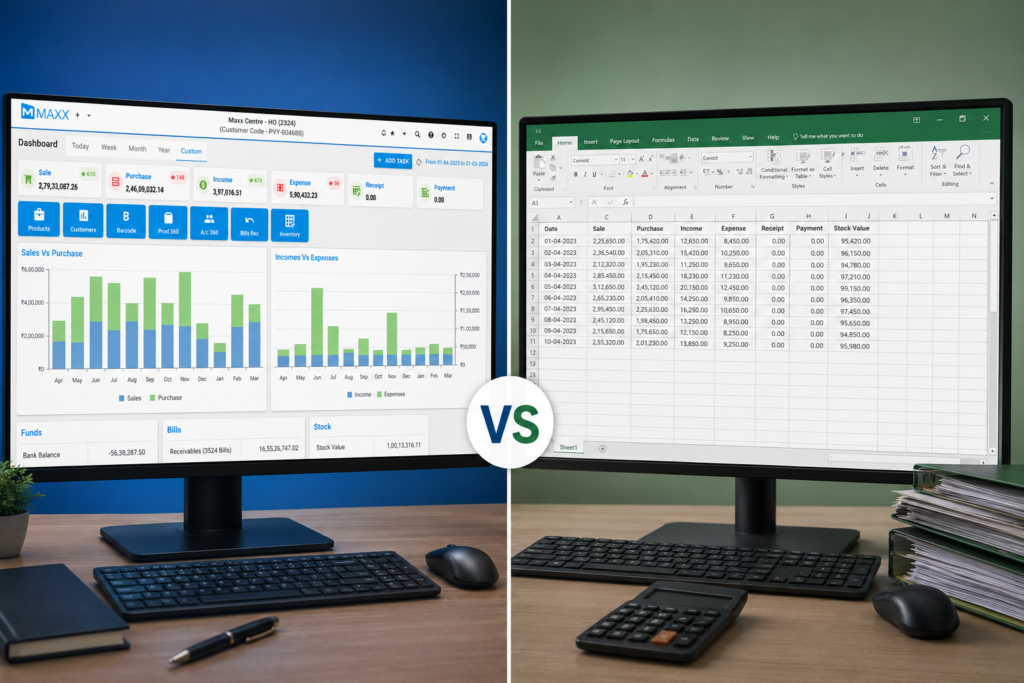
ERP vs Excel for Inventory Management Which One Actually Saves You Money? Every growing business hits the same wall: the spreadsheet that once worked perfectly starts breaking down. Stock counts don’t match what’s on the shelf. Two people update the same file and overwrite each other’s changes. Reordering decisions get made on gut feeling because nobody trusts the numbers anymore. This is the moment most businesses start asking whether it’s time to move from Excel to a proper ERP system. It’s a fair question — Excel is free (or close to it), familiar, and flexible. But inventory management has specific demands that a spreadsheet was never built to handle. In this guide, we’ll break down exactly where Excel holds up, where it falls apart, and how to decide which one is right for your business right now. Why Businesses Choose ERP Over Excel Real-Time Stock Visibility Every sale, purchase, and stock movement updates instantly across your business — no more working off numbers that were accurate yesterday but wrong today. What you see is what’s actually on the shelf, right now. No More Version Conflicts Everyone works from the same live data instead of separate copies of a spreadsheet. No “Final_v2_ACTUAL” files, no overwritten changes, no guessing which version is correct. One System, Every Location As you grow across warehouses, stores, or sales channels, ERP reconciles stock in real time across all of them — something Excel was never built to handle at scale. Automated Reordering Reorder points trigger purchase orders automatically, and low-stock alerts go out without anyone checking a sheet. No fragile formulas that break the moment a cell gets edited. Full Audit Trail Every change is logged — who did it, when, and what changed. When something doesn’t add up, you can trace it in seconds instead of comparing file versions by hand. Built to Scale with You As your SKU count, team size, and complexity grow, ERP grows with you — no rebuilding an unmanageable web of linked spreadsheets every time the business adds a location or product line. What Migrating to MaxxERP Actually Involves Exporting and mapping your data — product lists, stock quantities, customer and vendor records, and historical transaction data currently sitting in your spreadsheets. Configuring your workflows — GST setup, invoice templates, reorder rules, and user roles in MaxxERP, replacing the manual formulas and processes you built in Excel. Running a parallel period — operating both systems briefly to confirm MaxxERP produces matching, accurate numbers before fully retiring your spreadsheets. Training your team — a structured walkthrough of MaxxERP’s interface for staff who are used to manually updating and tracking inventory in Excel. FAQs –Migrate from Tally to MaxxERP 1. How long does it take to migrate from Excel to an ERP system? For most small to mid-sized businesses, migrating from Excel to an ERP system like MaxxERP takes two to four weeks, including data export, mapping, configuration, and a parallel testing period. Larger catalogs or multi-location operations may take slightly longer to fully validate before going live. 2. Will I lose my historical data when moving from Excel to ERP? No. When migrating from Excel to ERP, your product lists, stock records, customer and vendor data, and historical transactions are exported and mapped directly into the new system, so nothing is lost as long as the data is cleaned and validated during migration. 3. Do I need technical skills to migrate from Excel to MaxxERP? Not necessarily. MaxxERP’s migration process is built around structured data mapping and vendor-guided setup, so most businesses can migrate from Excel without needing an in-house developer or IT team, though having someone familiar with your current spreadsheet structure helps speed things up. 4. Can I run Excel and MaxxERP side by side during the transition? Yes, and it’s recommended. Running a parallel period — where both Excel and MaxxERP are used briefly together — lets you confirm the new system produces matching, accurate numbers before fully retiring your spreadsheets, reducing the risk of data errors after go-live. 5. What’s the biggest mistake businesses make when switching from Excel to ERP? The most common mistake is migrating messy data as-is instead of cleaning it first. Duplicate entries, inconsistent naming, and outdated records carried over from Excel simply become new problems inside the ERP system, so a proper data audit before migration is essential.
Migrate from Tally to MaxxERP
Migrate from Tally to MaxxERP The Smart Way to Move from Tally to MaxxERP Tally has been the backbone of Indian small business accounting for decades — fast, reliable, and familiar to every accountant. It’s a great foundation. But as businesses grow into multi-branch operations, richer inventory needs, or manufacturing, many owners find they’re ready for the next step: a full ERP that gives them everything Tally does, plus real-time cloud access and mobility across the whole business. This guide walks through why businesses make the move to MaxxERP, what the migration process looks like, and how to make it smooth from day one. https://youtu.be/t_kLSme1mvk?si=U_4u6kreG7lWy53Q Why Businesses Choose to Move Up to MaxxERP Unified View Across Locations Get real-time, unified visibility across every branch instead of switching between separate company files. No manual consolidation, no waiting for end-of-day reports — just one live view of the whole business. Work From Anywhere MaxxERP’s full mobile app lets sales staff, branch managers, and owners raise invoices, approve payments, and check stock from any device. Not just view reports — actually run the business, on the go. One System, Every Department As your business grows into distribution, manufacturing, or multi-warehouse retail, MaxxERP brings accounting, inventory, procurement, and production planning together in one connected suite from day one. Real-Time Cloud Collaboration Because MaxxERP is cloud-native, every user works off the same live data — whether they’re at head office, a branch, or out in the field. No delays, no version mismatches. Smooth Data Migration Move your masters, ledgers, and historical vouchers over through Excel import — customers, vendors, products, and both batch-wise and non-batch-wise transactions included. Switching doesn’t mean starting from zero. Built for What’s Next Moving to MaxxERP isn’t a reflection on Tally — it’s the natural next step once a business has outgrown a single-location, desktop-first setup and is ready for real-time, anywhere access. What Migrating to MaxxERP Actually Involves Exporting and mapping your data — chart of accounts, ledgers, customer and vendor masters, opening balances, and historical transactions. Configuring your workflows — GST setup, invoice templates, approval flows, and user roles in MaxxERP. Running a parallel period — operating both systems briefly to confirm MaxxERP produces matching, accurate numbers before fully cutting over. Training your team — a structured walkthrough of MaxxERP’s interface and processes for staff who’ve worked in Tally for years. FAQs –Migrate from Tally to MaxxERP 1. Can I migrate my Tally data to MaxxERP without losing history? Yes. Masters — customers, vendors, other expense accounts, and products — can be brought over through Excel import, and historical sales and purchase vouchers can be migrated using voucher Excel templates, covering both batch-wise and non-batch-wise data. Learn more about us https://maxxerp.com/master-data-import/ 2. How long does a typical migration from Tally to MaxxERP take? It depends on the size and complexity of your data, but most businesses complete the process — audit, export, import, parallel run, and training — within a few weeks when following a phased approach. 3. Will my team need retraining after switching from Tally? Some adjustment is expected, especially for staff who’ve used Tally for years. MaxxERP’s onboarding support is built to make this transition fast and low friction, with structured training covering daily workflows like invoicing and stock updates. 4. Do I need to stop using Tally immediately after migrating? No. Running both systems in parallel for a few weeks is recommended, so you can compare reports and confirm accuracy before fully cutting over to MaxxERP. 5. What data can be imported from Tally into MaxxERP? Chart of accounts, ledgers, customer and vendor masters with opening balances, stock items, and outstanding invoices and bills can all be migrated as part of the process.
Apparel Retail Chain POS Billing Software
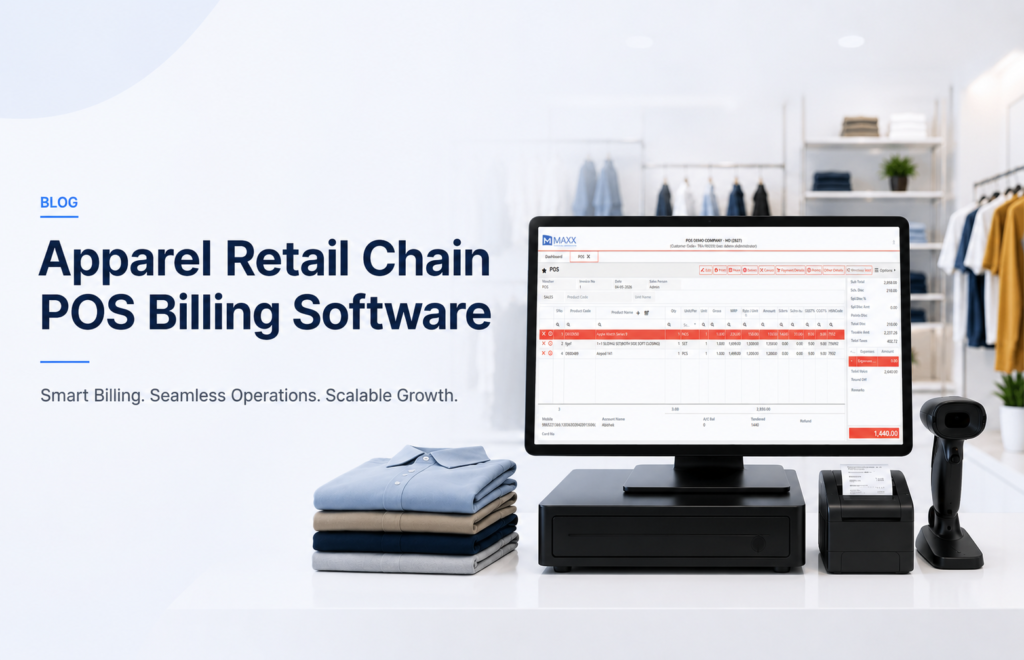
Apparel Retail Chain POS Billing Software The Smart Way to Run Your Apparel Retail Business Managing an apparel retail chain comes with unique challenges — multiple store locations, thousands of SKUs across sizes and colours, seasonal inventory, and the ever-evolving GST compliance landscape. MaxxERP’s Apparel Retail Chain POS Billing Software is purpose-built to handle all of this, seamlessly and efficiently. https://www.youtube.com/watch?v=TXhMNLFrTPU&list=PL2ZSZ1A_9U8D5gEH7YHlio99kmVQs1DIv&index=2 Multi-Store POS Management Run billing operations across all your branches from a single centralised dashboard. Stock and sales data are always up to date across every outlet — instantly and automatically. Size & Colour Matrix Manage your inventory the way apparel works — by size (XS to XXL), colour, style, and fabric. Auto-generate barcodes for each variant and never face stock confusion again. GST 2.0 Ready Billing GST 2.0 is here — and MaxxERP is ready. With the new simplified slabs of 5%, 18%, and 40%, our billing engine auto-calculates taxes, handles e-invoicing, and keeps your GSTR filing accurate at every sale. No confusion, no errors — just compliant billing every time. Fast Checkout & Barcode Scanning Speed up billing during peak hours with lightning-fast barcode scanning, bulk item addition, and one-click discount application. Reduce queues and improve customer experience. Customer Loyalty & CRM Build lasting relationships with your shoppers. Track purchase history, assign loyalty points, send SMS/WhatsApp offers, and run targeted discount campaigns for repeat customers. Real-Time Stock Alerts & MIS Reports Get low-stock alerts, auto purchase orders, and detailed sales reports — all the data you need to make smarter business decisions. Why Choose MaxxERP for Your Apparel Chain? Built specifically for Indian apparel retail GST 2.0 compliant and regularly updated Cloud-based — access from anywhere, anytime Works offline — no internet, no problem Scalable from 1 store to 100+ locations Dedicated onboarding and support team FAQs – Apparel & Fashion ERP 1. Which is the best Retail Chain POS Billing Software in Chennai? MaxxERP is one of the most trusted Retail Chain POS Billing Software solutions in Chennai. It is purpose-built for Indian apparel and retail businesses, offering multi-store management, GST 2.0 compliant billing, and real-time inventory — all from a single dashboard. 2. Does MaxxERP’s Retail Chain POS Software support multiple store locations in Chennai? Yes. Whether you operate 2 stores or 50 outlets across Chennai and Tamil Nadu, MaxxERP’s Retail Chain POS Software keeps all your billing, stock, and sales data connected and up to date across every location. 3. Is MaxxERP’s POS Billing Software in Chennai GST 2.0 compliant? Absolutely. MaxxERP is fully updated with GST 2.0 slabs — 5%, 18%, and 40% — ensuring every bill generated at your Chennai retail outlet is tax-accurate, e-invoice ready, and GSTR filing compliant. 4. How can Chennai apparel retailers benefit from a Retail Chain POS Software? Chennai’s apparel retail market is fast-growing and highly competitive. A Retail Chain POS Software like MaxxERP helps Chennai retailers manage size and colour-wise inventory, run loyalty programs, track store-wise performance, and stay GST compliant — all in one platform. 5. How do I get the best Retail Chain POS Software demo in Chennai? Simply visit maxxerp.com or reach out via call or WhatsApp to book a free demo. Our Chennai-based support team will walk you through the software and help you find the right plan for your retail chain.
